
✅ Current for tax year 2026
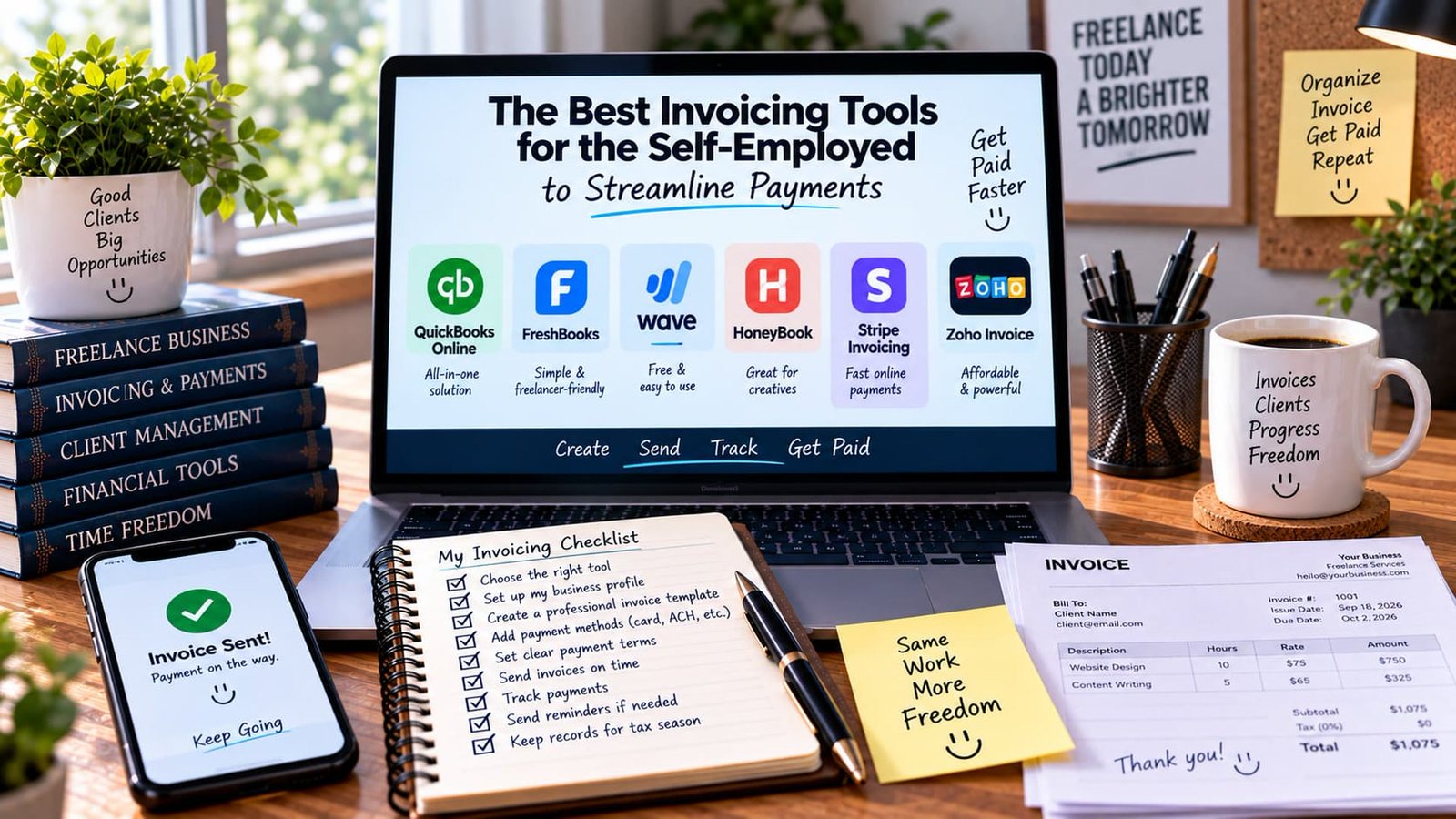
Quick answer: QuickBooks Online is the most complete all-in-one solution, FreshBooks is the simplest freelancer-friendly option, Wave is the best free choice, HoneyBook is built specifically for creatives, Stripe Invoicing wins on payment speed, and Zoho Invoice is the most affordable full-featured pick. What matters more than the brand you choose is whether it actually gets you paid on time and keeps a clean record for Schedule C.
What to look for before comparing tools
Beyond simply generating a PDF, a good invoicing tool for a freelancer should handle recurring invoices for retainer clients, automatic reminders before and after a due date, multiple payment methods, and a record you can hand off cleanly at tax time.
QuickBooks Online — all-in-one solution
If you want invoicing bundled with full bookkeeping, expense tracking, and tax categorization in one product, QuickBooks Online is the most complete option — invoicing here is one part of a much larger accounting suite rather than a standalone feature.
FreshBooks — simple & freelancer-friendly
FreshBooks is built specifically around the freelance invoicing workflow: clean, professional-looking invoices, automatic reminders, and time-tracking that feeds directly into what you bill. It’s consistently the easiest to learn on this list.
Wave — free & easy to use
Wave offers genuinely unlimited invoicing at no monthly cost, making money instead on payment processing fees when clients pay by card or bank transfer. For a freelancer just starting out, this is often the lowest-friction way to look professional without a software bill.
HoneyBook — great for creatives
HoneyBook is aimed specifically at creative freelancers — photographers, designers, event professionals — and bundles invoicing with proposals, contracts, and client scheduling in a single client-management flow, rather than treating invoicing as an isolated task.

Stripe Invoicing — fast online payments
If speed of payment is the priority, Stripe Invoicing leans on Stripe’s payment infrastructure to make paying an invoice as frictionless as possible for the client, with fast payout timing on your end. If a platform you already work with uses Stripe Connect for payouts, see Stripe Express Guide: What Should Be the Statement Descriptor for Contractors? for a related piece of that ecosystem.
Zoho Invoice — affordable & powerful
Zoho Invoice punches above its price point, offering a genuinely capable feature set — recurring invoices, multi-currency support, client portals — at a lower cost than most of the tools above, especially if you’re already using other Zoho products like Zoho Books (see Best Accounting Software for Self-Employed Professionals).
| Tool | Best for |
|---|---|
| QuickBooks Online | All-in-one solution |
| FreshBooks | Simple & freelancer-friendly |
| Wave | Free & easy to use |
| HoneyBook | Creatives |
| Stripe Invoicing | Fast online payments |
| Zoho Invoice | Affordable & powerful |
My invoicing checklist
- Choose the right tool for your workflow
- Set up your business profile completely
- Create a professional invoice template
- Add payment methods (card, ACH, etc.)
- Set clear payment terms up front
- Send invoices on time, every time
- Track payments as they come in
- Send reminders if needed — see our late payment templates
- Keep records for tax season
Connecting invoicing to your tax records
Whatever tool you use, the money that lands in your account still needs to trace cleanly back to a specific invoice and client. Reconcile your invoicing tool against your bank deposits at least monthly, and make sure the categories match what ultimately needs to appear on Schedule C — waiting until tax season to piece it together turns a five-minute monthly task into a multi-hour reconstruction project.
Recurring invoices: setting them up correctly
For retainer clients, a recurring invoice that generates and sends automatically on a set schedule removes an entire category of manual work and forgotten invoices. When setting one up, double-check the end date or renewal terms are accurate — an invoice that keeps generating after a project has actually ended is an awkward, avoidable conversation with a client who’s already stopped expecting to pay.
Multi-currency and international clients
If you work with clients outside the U.S., check specifically how your chosen tool handles currency conversion, international payment fees, and whether it displays amounts in the client’s local currency — this can meaningfully affect how quickly an international client pays, since an invoice in an unfamiliar currency with unclear conversion is a common source of payment delay that has nothing to do with the client’s willingness to pay.

What to do when a client disputes an invoice
Keep every invoice, along with the underlying contract or scope agreement, in the same accessible place. If a client disputes charges, having a clear, dated paper trail — the original agreement, any change orders, and the invoice itself — resolves the disagreement far faster than relying on memory or a scattered email history. This is another reason a dedicated invoicing tool with built-in history beats an ad hoc collection of documents created in different apps over time.
How payment processing fees factor into your real earnings
Nearly every invoicing tool that accepts card or bank payments charges a processing fee, typically a percentage of the transaction plus a small flat fee — this comes directly out of what you actually receive, and it’s worth factoring into your pricing rather than being surprised by the gap between the invoice total and what lands in your account. Some freelancers build the expected fee into their rates; others pass a portion of it along explicitly for larger invoices, particularly for international clients where conversion fees can be more significant.
Setting up templates that reflect your brand
Beyond function, a consistently branded invoice — your logo, consistent formatting, clear itemization — signals professionalism in a way that a generic, unstyled invoice doesn’t. Most tools on the list above support at least basic customization at no extra cost, and it’s worth spending the small amount of setup time to get this right once, rather than sending inconsistent-looking invoices to different clients over time.
How invoice numbering and organization affect your bookkeeping
A consistent invoice numbering system — sequential numbers, or a system incorporating the client name and date — makes it dramatically easier to track which invoices are outstanding, paid, or overdue at a glance, especially once you’re working with multiple clients simultaneously. Most invoicing tools handle numbering automatically, but it’s worth confirming the default numbering scheme actually makes sense for how you plan to search and reference invoices later, rather than accepting a generic default that becomes hard to navigate as your invoice history grows.
Equally important: decide early how you’ll organize invoices by tax year for filing purposes, since most invoicing tools can generate a report by date range that maps directly onto your Schedule C reporting period. Running this report at least quarterly, rather than only once a year, catches discrepancies while they’re still easy to investigate.
What to do about invoices in a language other than English
If you regularly work with non-English-speaking clients, check whether your invoicing tool supports generating invoices in multiple languages, or at minimum supports clear, universally understood formatting for amounts, dates, and payment terms. A misunderstood due date or currency on an invoice is a surprisingly common, easily avoidable cause of late payment that has nothing to do with a client’s willingness or ability to pay on time.
Bottom line
The best invoicing tool is the one you’ll actually use consistently — a simple app you check weekly beats a powerful one you open twice a year. Pick based on how you actually work: all-in-one accounting (QuickBooks Online), pure simplicity (FreshBooks or Wave), a creative-specific workflow (HoneyBook), payment speed (Stripe), or affordability with real depth (Zoho Invoice).
Related guides
- Independent Contractor Invoice Template (Free Word, Google Docs, PDF)
- Independent Contractor Payroll Software: How to Pay, Manage, and Report 1099 Workers
- Freelance Hourly Rate Calculator: How to Price Your Services
- 15 Time Management Tools Every Freelancer Needs
- How to Prevent Burnout When You Are a Solopreneur
- Freelance Graphic Designer Tax Deductions: Software, Hardware, and Home Studio Costs
- Freelance Web Developer and Web Designer Tax Deductions: Software, Hosting, Coworking, and Gear
- Freelance Photographer Tax Write-Offs: Gear, Depreciation, Travel, and Studio Costs